
DistroKid
DistroKidMusic & Audio
4.7994.00 Reviews
- Version
- 3.8.3
- Installs
- 1.00M
- Age Rating
- Everyone
Screenshots
Our Review of DistroKid
 Analysis by Appyee
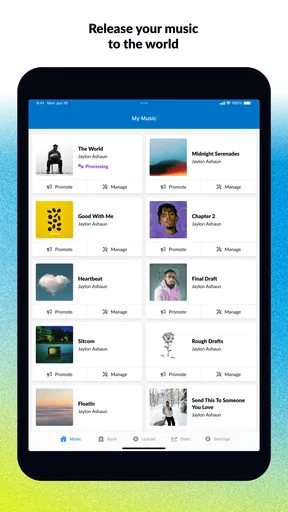
When I’m ready to release a track, getting the audio out of my project folder is only one part of the job. I still need to make release decisions, coordinate with collaborators, and give listeners a simple way to find the music. DistroKid is built around that distribution handoff: it gives independent musicians a route from a finished recording toward a public release, without making the phone feel like a full studio. That distinction matters. I see it as a release-management companion, not a replacement for recording software, careful planning, or an artist’s own promotion.
Where it fits in an artist’s routine
I’d consider this app when a song is finished and I want to manage the next steps without turning the release into a maze of separate tasks. It belongs in the music and audio category, and DistroKid develops it. The app is free to install, though that does not mean every part of using the distribution service is free: in-app purchases range from $24.99 to $269.99 per item. I’d check the current plan and any optional costs before committing, especially if I’m working with a tight release budget.
That makes it a better fit for independent artists who expect to release music regularly than for someone who only wants to upload one track as a casual experiment. The appeal of unlimited uploads can become more useful as a catalog grows, but the value still depends on the terms of the plan and the artist’s own release habits. If I were releasing rarely, I’d compare the total cost and workflow with alternatives that charge per release before choosing.
From a finished track to a release
My practical workflow would start before opening the app: I’d settle the final audio, artwork, song title, artist details, and release choices first. Distribution tools can move a release along, but they can’t fix a mix I’m not happy with or make a rushed decision about credits disappear. I’d keep a single checklist for those materials and verify names carefully; small inconsistencies can make an artist’s catalog harder to follow later.
Once I’m ready, the app’s purpose is to help me handle the upload and release process. The key benefit is having a central place to work through distribution rather than approaching each listening service separately. I’d still treat the upload as a deliberate submission, not a one-tap shortcut: check the track selection, metadata, and collaborators before moving on. That pause is useful because a release becomes a public-facing asset, and correcting avoidable mistakes later can disrupt the plan.
Getting listeners to the right place
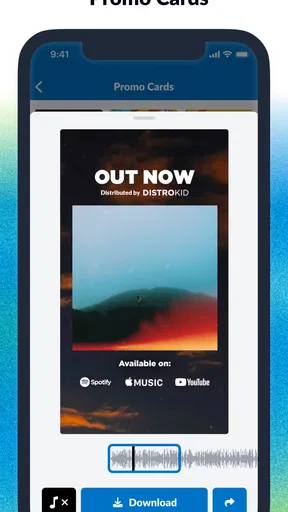
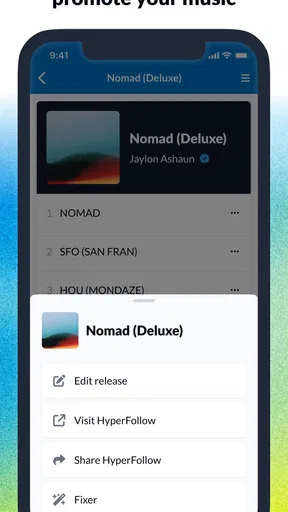
Distribution is only one handoff. After a release is available, people need an easy route from a post, message, or artist profile to the version they use. The published article’s HyperFollow description points to a useful idea: gather listening destinations on one shareable page instead of asking fans to search for the track themselves. I’d use a single destination in a release announcement, then keep the announcement focused on the song rather than scattering several platform links through it.
That approach is especially handy when I’m sharing with a mixed audience. One friend may use one streaming service and another may use a different one, so a central landing page can reduce the back-and-forth. It doesn’t replace promotion, and it can’t make people listen; it simply removes a small obstacle between interest and playback. I’d also keep a copy of the destination with the release notes so I’m not hunting through old posts when I want to share the track again.
Collaborators, credits, and money
For a track made with other people, I’d settle the split conversation before release day. The Splits feature described in the original review is intended to divide earnings among collaborators, which can make the handoff clearer than relying on someone to remember a spreadsheet months later. My advice would be to confirm the agreed percentages and the right recipients together before entering anything. A tool can record an agreement, but it can’t replace having the conversation or resolving a disagreement about who contributed what.
The same principle applies to lyrics and cover material. If I’m preparing lyrics alongside a release, I’d proofread them as carefully as the title and credits. If I’m distributing a cover, I’d investigate the licensing requirements and make sure the service’s cover-song option suits that specific case rather than assuming every recording is automatically cleared. Those checks take a little time, but they’re better handled before the release is in motion.
Getting Started with DistroKid
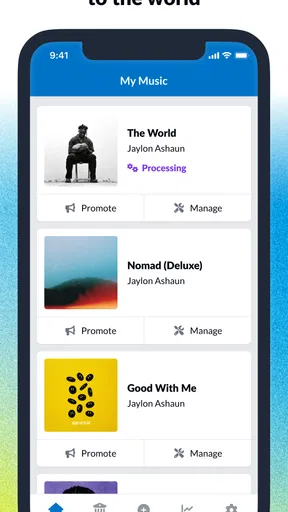
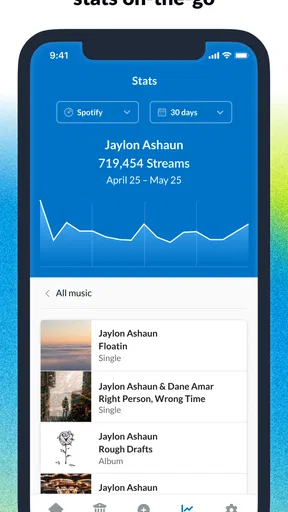
First things first, signing up for DistroKid is a breeze. The interface is super intuitive, and they really hold your hand through the setup process. As soon as you're in, the dashboard welcomes you with a clean, no-nonsense layout. I love how everything is organized—uploading music, tracking statistics, and managing earnings are all just a click away.
Uploading Your Music
Uploading tracks is where DistroKid shines. It’s incredibly straightforward. You hit that upload button, and it feels like magic. You can upload full albums or singles, and they support a wide range of file formats, which is fantastic. One of the coolest features? They distribute your music to all major platforms like Spotify, Apple Music, and even TikTok. Seriously, I felt like I had just unlocked a cheat code for music distribution.
Features That Stand Out
One feature that really caught my eye is the "HyperFollow" page. It’s a customizable landing page that aggregates all your streaming links in one place. You can share this link on social media, and boom—fans can find you on any platform they prefer. Another nifty perk is the "Splits" feature, where you can automatically divide earnings among collaborators. It’s all about transparency and fairness, and I’m all for it.
Let’s not forget the "Lyrics" feature. You can upload lyrics alongside your music, which is a neat touch. Plus, their "Cover Song Licensing" service is a lifesaver if you’re into doing covers—DistroKid handles the legal stuff so you don’t have to worry about getting into hot water.
Why Musicians Love It
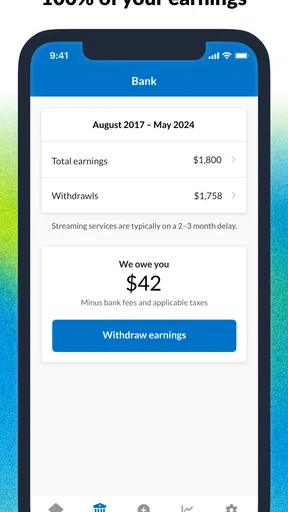
What makes DistroKid a hit among musicians is its affordability. With a low annual fee, you can upload unlimited tracks. For indie artists, this is a game-changer. No more paying per release, which can get costly pretty quickly. Plus, you keep 100% of your royalties. Yep, you heard that right. No sneaky cuts from your hard-earned cash.
Oh, and the turnaround time for getting your music out there is impressively fast. I uploaded a track, and within a couple of days, it was live on all platforms. It’s like having a personal assistant who works at lightning speed.
Things to Keep in Mind
While I’m a big fan, there are a few things to consider. The app is primarily in English, so if you’re not a native speaker, you might need to have a translator ready. Also, while the basic plan is fantastic, some features like "Shazam & iPhone Siri" recognition and "Store Maximizer" are part of the higher-tier plans. So, if you want those extras, be prepared to shell out a bit more.
Additionally, customer service is mostly email-based, which can be a little slow at times. But hey, they’re generally pretty helpful when they get back to you, so it’s a minor hiccup in an otherwise smooth experience.
Release planning beyond the upload
For a realistic routine, imagine finishing a single after work and wanting it ready for an upcoming announcement. I’d use the phone to organize the distribution task, but I wouldn’t wait until the last minute to prepare the release. I’d first check that the final audio and artwork are the versions I intend to publish, then confirm the spelling of every credited name and the release details. After submitting, I’d keep the confirmation and any relevant notes together, then return to the app to follow the release and earnings side of the process.
That order helps separate creative decisions from administrative ones. It also gives collaborators a clear point to review: they can confirm their credit and split before the submission rather than discovering a mismatch after promotion begins. The less obvious benefit of that habit is not a new feature but fewer avoidable messages and corrections. DistroKid can help carry information through a release workflow; it works best when the artist supplies accurate information and keeps their own records.
How it compares with other routes
Compared with distributing separately through individual services, a distributor is attractive because it gives an independent artist one place to manage a release intended for multiple destinations. Compared with services that charge for each release, an unlimited-upload model may suit someone putting out singles often. Neither approach wins for everyone: a low-volume artist should compare the ongoing plan cost with a per-release option, while a frequent releaser should consider whether the simplicity of one workflow is worth more than choosing a different distributor’s terms or tools.
It is also easy to confuse distribution with audience-building. This app can support the delivery and organization of music, but it does not do the creative work of finding listeners, planning a campaign, or making a song stand out in a crowded feed. If I needed detailed editing, recording, mastering, or a full promotional strategy, I’d use dedicated tools or services for those jobs and treat DistroKid as one link in that chain. That division of labor is a strength when expectations are realistic.
Checking the fit before you commit
The app has a 4.8 average from around 17,000 ratings, and it has passed 500,000 installs. Those figures suggest that many musicians find the approach useful, but they don’t tell me whether it matches an individual release schedule. It is rated for Everyone, its current version is 3.6.1, and it requires Android 8.0 or later. I’d check that my device meets the requirement, then look at the purchase options in context rather than treating the free download as the full cost of distributing music.
My own test for whether it is the right choice is simple: will I use the distribution workflow often enough to justify the plan, and do I want one service to handle the release handoff across destinations? If yes, I’d prepare the details carefully and use its tools to keep the release organized. If I’m only exploring music distribution, want a different fee structure, or need hands-on help with production and promotion, I’d compare alternatives before signing up. The app is most useful when it solves the distribution part of a musician’s real routine, not when I expect it to solve every part of releasing a song.
Things to Keep in Mind
While I’m a big fan, there are a few things to consider. The app is primarily in English, so if you’re not a native speaker, you might need to have a translator ready. Also, while the basic plan is fantastic, some features like "Shazam & iPhone Siri" recognition and "Store Maximizer" are part of the higher-tier plans. So, if you want those extras, be prepared to shell out a bit more.
Additionally, customer service is mostly email-based, which can be a little slow at times. But hey, they’re generally pretty helpful when they get back to you, so it’s a minor hiccup in an otherwise smooth experience.
Final Thoughts
All in all, DistroKid is a powerhouse for musicians looking to distribute their music far and wide without the hassle and expense of traditional methods. It’s user-friendly, fast, and packed with features that make your life easier. If you’re serious about getting your music out there, it’s definitely worth checking out. Just remember, with all the tools at your disposal, the world is your stage—go out there and rock it!
Verdict
Strengths of DistroKid
- Simple interface for quick uploads.
- Unlimited song uploads for one price.
- Keeps 100% of your royalties.
- Fast distribution to major platforms.
- Provides free Spotify verified checkmark.
Limitations of DistroKid
- No free trial available.
- Limited customer support options.
- Basic plan lacks advanced features.
- No YouTube monetization on basic plan.
- Some users report payout delays.
Similar Picks in This Category
View All
YouTube Music
Google LLC4.4

Samsung Music
Samsung Electronics Co., Ltd.3.8

Spotify: Music and Podcasts
Spotify AB4.3

JioSaavn - Music & Podcasts
Saavn Media Limited4.3

Lark Player:Music Player & MP3
Lark Player Studio - Music, MP3 & Video Player4.6

StarMaker: Sing Karaoke Songs
SKYWORK AI PTE. LTD.4.3
Frequently Asked Questions
What is DistroKid, and how does it work?
DistroKid is a music distribution service that allows artists to upload their tracks and release them to major streaming platforms like Spotify, Apple Music, and Amazon Music. It simplifies the process of getting your music out to a global audience by handling the distribution, royalties, and even providing tools for promotion. Artists pay an annual fee to upload unlimited songs.
How much does DistroKid cost, and are there any additional fees?
DistroKid offers several plans, starting with a basic plan that costs $19.99 per year for unlimited uploads. There are no additional fees taken from your royalties, but there are optional add-ons such as Shazam & iPhone Siri distribution or YouTube Content ID that may incur extra charges. Each plan offers different features, so it’s important to choose one that fits your needs.
Can I keep my music rights with DistroKid?
Yes, artists retain 100% of their rights when using DistroKid. The service simply functions as a distributor, meaning it doesn’t take ownership of your music. You keep all the rights to your songs and receive 100% of the royalties collected from streaming services, minus any applicable banking fees for payment transfers.
What platforms does DistroKid distribute music to?
DistroKid distributes music to a wide range of platforms, including popular services like Spotify, Apple Music, Amazon Music, Google Play, and YouTube Music. Additionally, it reaches smaller and regional streaming services, ensuring your music has a broad global reach. The company regularly updates its list of partners to include emerging platforms.
How long does it take for music to appear on streaming platforms after uploading?
Once you've uploaded your music to DistroKid, it typically takes between 2 to 5 business days for it to appear on most major streaming platforms. However, the exact time can vary depending on each platform's processing times and any additional checks they may perform. DistroKid offers tools to track the status of your release across different services.
